
Why Stacklight is the best homelab dashboard for iOS
Stacklight is a native iPhone, iPad, and Apple Watch app for monitoring and controlling a homelab. It covers 23 self-hosted services, from Proxmox and TrueNAS to Pi-hole, Plex, and Home Assistant, and it talks directly to each service’s own API. There is no Stacklight server, no account, and no telemetry. It’s free for up to three services, and a one-time $9.99 removes the limit.
I built Stacklight because checking on my homelab from the couch meant a stack of browser tabs, a login on each one, and a lot of pinching and zooming through web interfaces that were never designed for a phone. Self-hosted infrastructure deserves a real iOS app: one that knows what a degraded pool, a stopped container, or an expiring certificate looks like, and lets you do something about it.
“Best” is a strong word, so here is the case, point by point. Every claim below describes what the app does today, in version 1.1, and you can check each one in the app or on its App Store listing.
What should a great homelab dashboard on iOS do?
A homelab dashboard has to earn its place on your home screen. It needs to do six things well:
- Cover the services you actually run, with a screen that understands each one.
- Let you act, not just look.
- Keep your data between your device and your homelab.
- Work wherever you are: at home, over a VPN, or behind a reverse proxy.
- Keep up when the software it talks to changes.
- Feel native on every Apple device you own, at a fair price.
Stacklight is designed around all six. Here is how.
1. It covers the services you actually run
Stacklight supports 23 self-hosted services. Each one has its own detail screen, built around the information that matters for that service:
- Servers and NAS: Proxmox VE (nodes, VMs, LXC containers, recent backups), TrueNAS (pool health and usage, scrub status, alerts), Unraid (array state, parity, disks, VMs, Docker containers, notifications), Synology DSM (volumes, disks, temperature, uptime), Docker through Portainer (environments and containers), and any Linux host through Glances (CPU, memory, temperatures, filesystems, top processes).
- Media and downloads: Plex and Jellyfin (active streams and libraries); Sonarr, Radarr, Lidarr, and Readarr (queue, missing items, upcoming releases, health); Prowlarr (indexers); qBittorrent and Transmission (torrents and transfer speeds); Overseerr and Jellyseerr (requests by status).
- Network: Pi-hole and AdGuard Home (queries, blocked percentage, top blocked domains and clients), Nginx Proxy Manager (proxy hosts, plus certificates that are expiring or expired), and OPNsense (interfaces, WAN status, load).
- Documents and photos: Immich (library size, storage, background jobs) and Paperless-ngx (documents, inbox, recent additions).
- Smart home: Home Assistant (automations, input booleans, unavailable entities, pending updates).
- Development: Gitea and Forgejo (open pull requests, unread notifications).
- Monitoring: Uptime Kuma (monitors that are up, down, pending, or in maintenance), Scrutiny (drive health, temperatures, power-on hours), and Bitaxe (hashrate against expected, efficiency, temperatures, power draw).
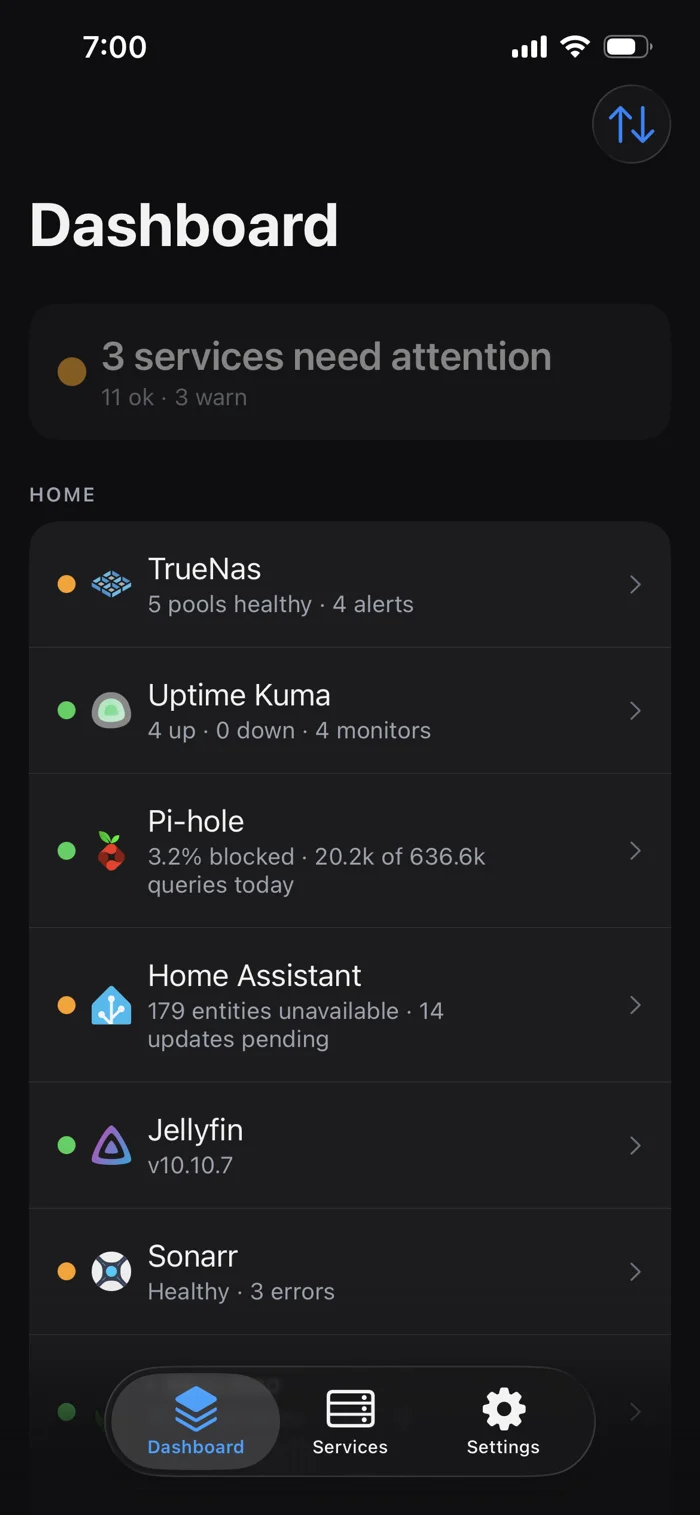
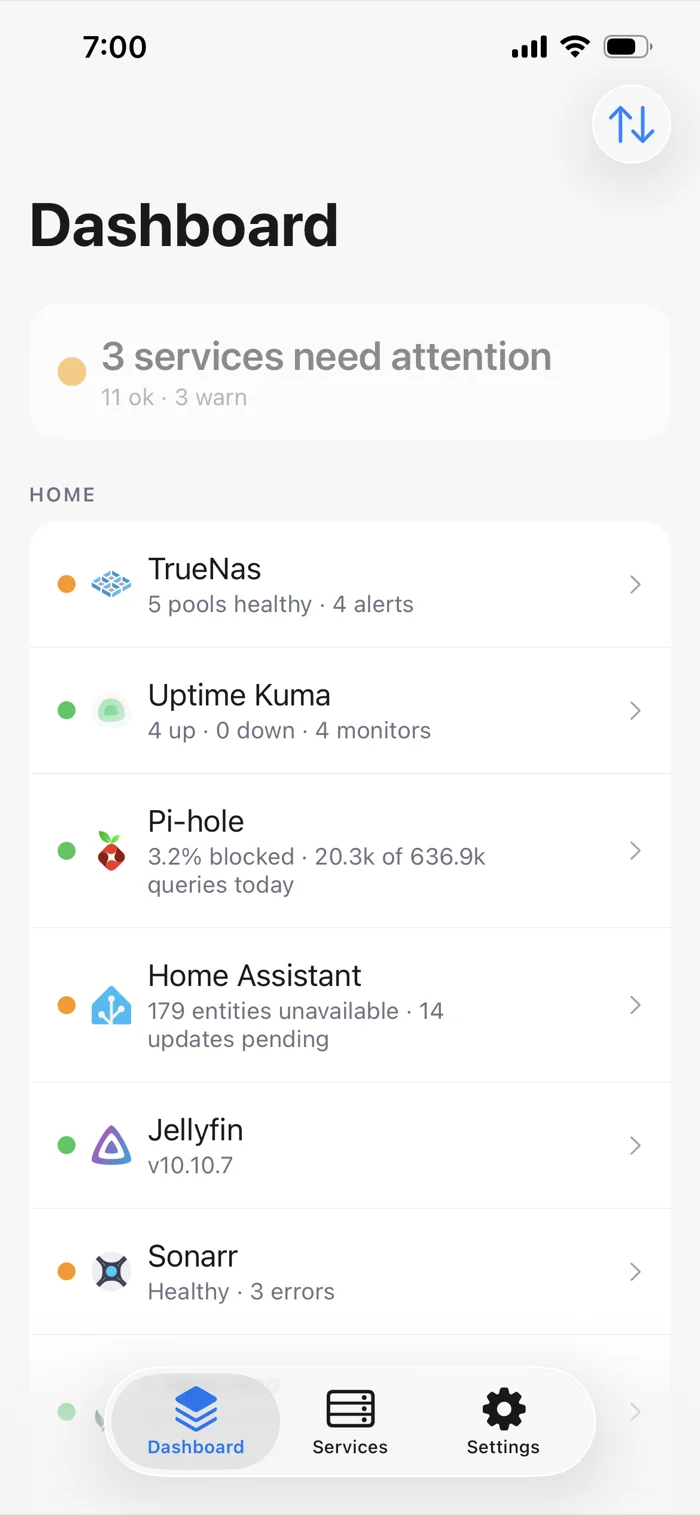
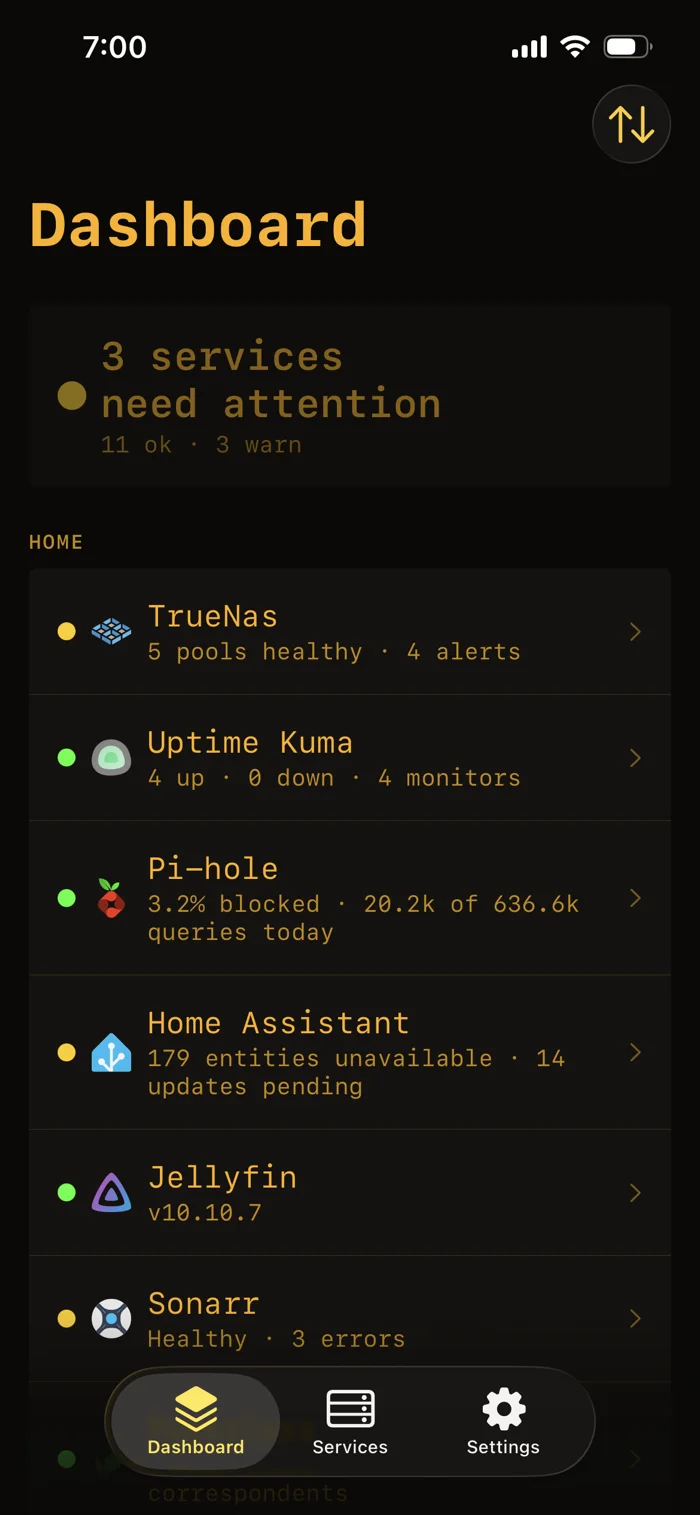
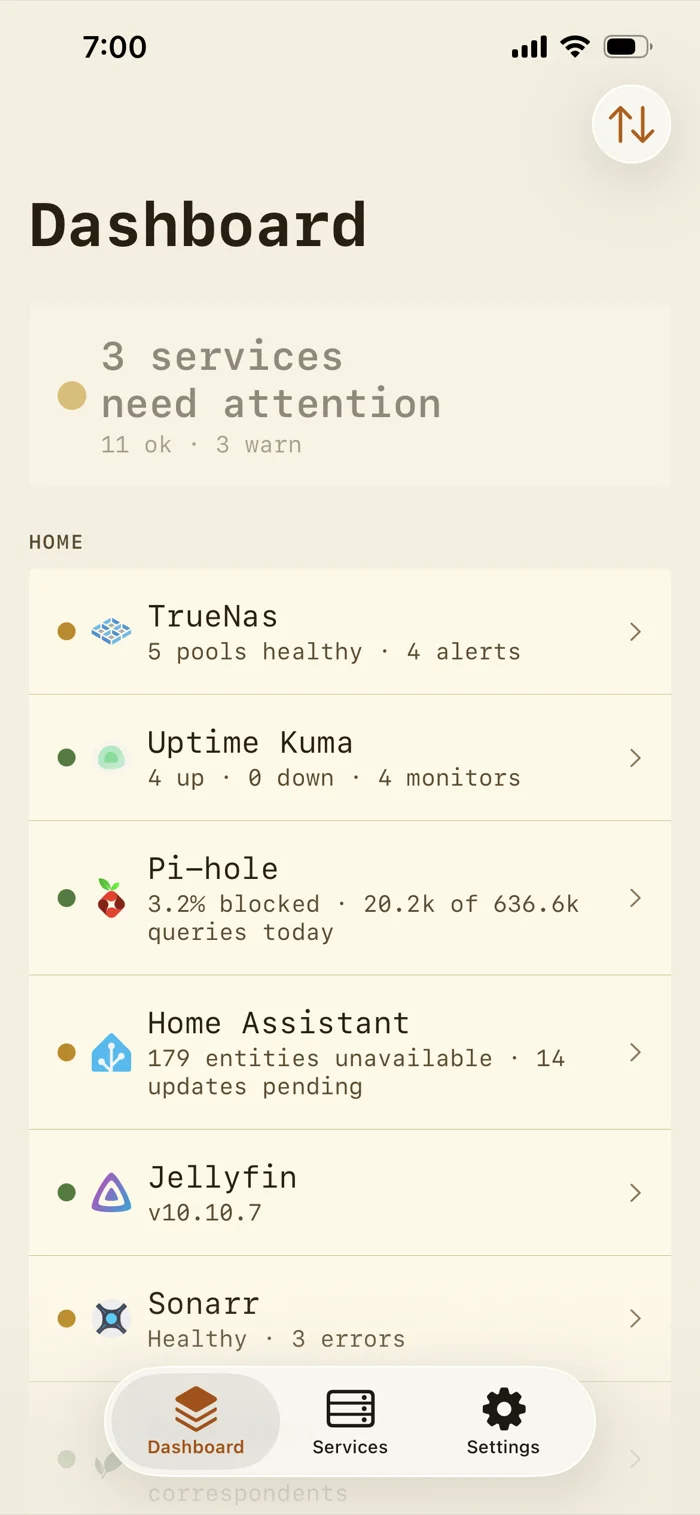
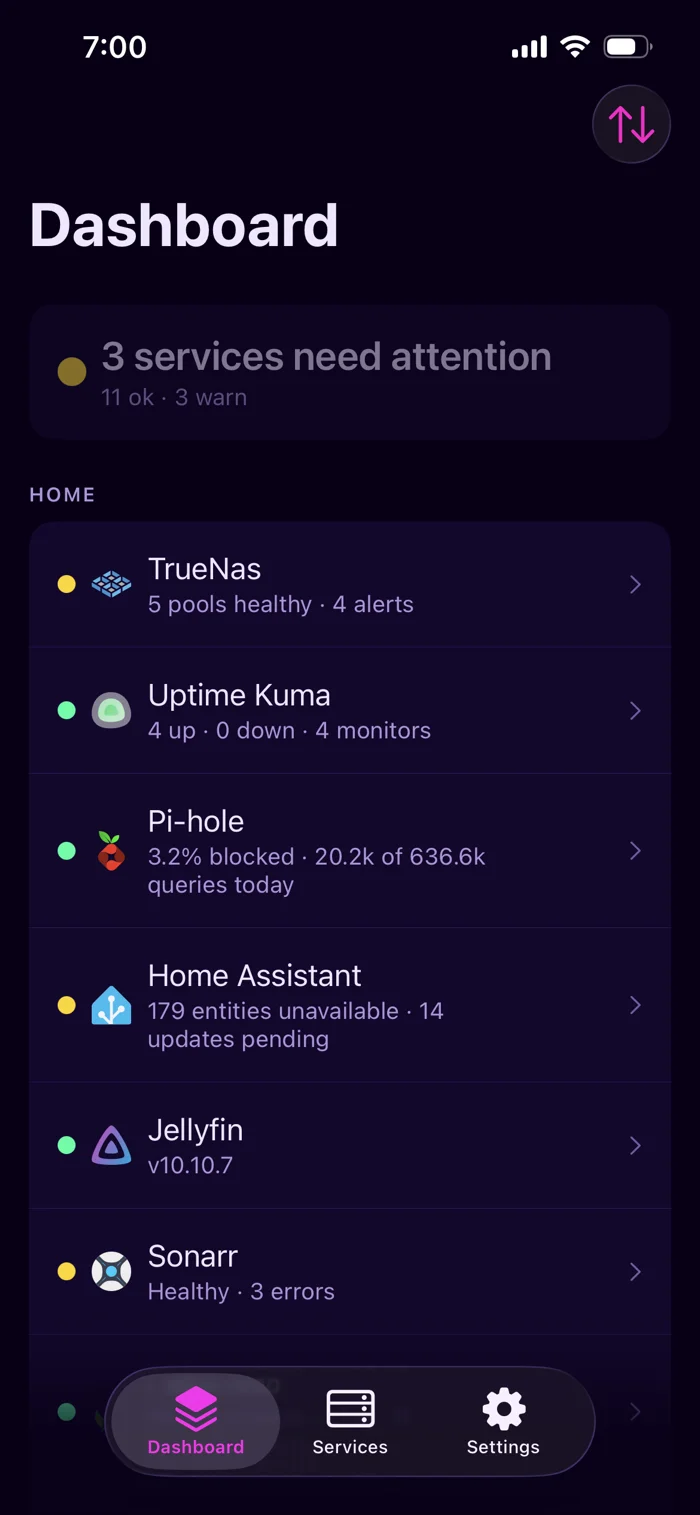
The dashboard rolls everything into one status board. Pin the services you check most to Favorites, and group the rest into environments, such as Home and Office.
2. It lets you act, not just look
A red dot tells you something is wrong. Stacklight also lets you fix the common problems without reaching for a laptop:
| Service | What you can do from Stacklight |
|---|---|
| Proxmox VE | Start, stop, shut down, or reboot VMs and LXC containers |
| Docker (Portainer) | Start, stop, or restart containers |
| Pi-hole, AdGuard Home | Turn ad blocking off and back on |
| Home Assistant | Toggle input booleans and trigger automations |
| qBittorrent, Transmission | Pause or resume, recheck, or remove torrents, with or without their files |
| Overseerr, Jellyseerr | Approve or decline requests |
| Plex, Jellyfin | Stop a stream. Jellyfin can also message a viewer and refresh libraries |
| Sonarr, Radarr, Lidarr, Readarr | Search for missing episodes, movies, albums, or books |
| Immich | Start, pause, or resume background jobs, and clear failed ones |
| Bitaxe | Restart the miner |
| Linux host | Reboot through an optional webhook you configure |
Disruptive actions, such as stopping a VM, restarting a container, or deleting a torrent, ask for confirmation first. On Apple Watch, Stacklight is read-only by design, so nothing destructive can happen from a stray tap on your wrist.
3. Nothing sits between your device and your homelab
Stacklight is an HTTP client and nothing more. When it refreshes, your iPhone talks directly to your services. There is no Stacklight server, relay, or proxy in the path, because there is no Stacklight server at all.
- No account. No email, no password, no sign-up screen. Open the app and add a service.
- No telemetry. No analytics, no crash reporting, no advertising, and no third-party SDKs. The App Store privacy label reads “Data Not Collected.”
- Credentials stay in your Keychain. API keys, passwords, and custom headers live in the iOS Keychain and roam to your other devices through iCloud Keychain. They never touch the app’s database.
- Your setup syncs through your own iCloud. Add a service on your iPhone and it appears on your iPad and Apple Watch, carried by Apple’s CloudKit in your own iCloud account.
You don’t have to take my word for any of this. Put your iPhone behind Pi-hole or AdGuard Home and watch the query log while you use Stacklight. Apart from Apple’s own iCloud and App Store, the only hosts it contacts are the ones you typed in.
No backend also means nothing for your dashboard to depend on: no server of mine that can go down, get shut down, or start charging you rent. The details are in the privacy policy.
4. It works wherever you are
Homelabs are rarely one URL on one network, so Stacklight is built for how they are actually wired:
- Nothing to install on your server. Stacklight uses the APIs your services already expose, on their usual ports. No agent, no helper container, no proxy.
- Several endpoints per service, with failover. Give a service its LAN address, its Tailscale or WireGuard address, and its reverse-proxy URL. Stacklight tries them in order and uses the first one that answers, so the same dashboard works on your couch, at the office, and on cellular through your VPN.
- Self-signed certificates, handled properly. The first time Stacklight meets a self-signed certificate, it shows you the SHA-256 fingerprint and asks whether to trust it. The pin syncs to your other devices, and if the certificate ever changes, Stacklight asks again instead of connecting silently.
- Forward-auth proxies. Since version 1.1, each endpoint can carry custom request headers, so services behind Cloudflare Access, Authelia, and similar forward-auth setups work too.
Step-by-step setup for every integration is on the support page.
5. It keeps up with your stack
Self-hosted software moves fast, and a dashboard only helps if it survives your next upgrade.
TrueNAS 27 is the clearest example: it removes the REST API. Stacklight 1.1, released on October 26, 2026, before TrueNAS 27 reached its stable release, speaks the new WebSocket API and falls back to REST automatically for TrueNAS CORE and older SCALE versions. The only setup change is one new field: the username your API key belongs to.
User requests ship, too. In August 2026, an Unraid user asked to see Docker containers and the full text of notifications. Both landed in version 1.0.2 about two weeks later, along with a fix for how Unraid 7 reports its version.
Stacklight launched on July 28, 2026, and has had three updates since. If your stack needs an integration it doesn’t have yet, request it on GitHub.
6. It feels native on every Apple device you own
Stacklight is a SwiftUI app for iPhone and iPad, with a dedicated Apple Watch app.
- Live while you look. The dashboard refreshes every 30 seconds while it’s on screen, pull to refresh works on the dashboard and every detail screen, and fast-moving screens such as streams, transfers, and host metrics update every few seconds.
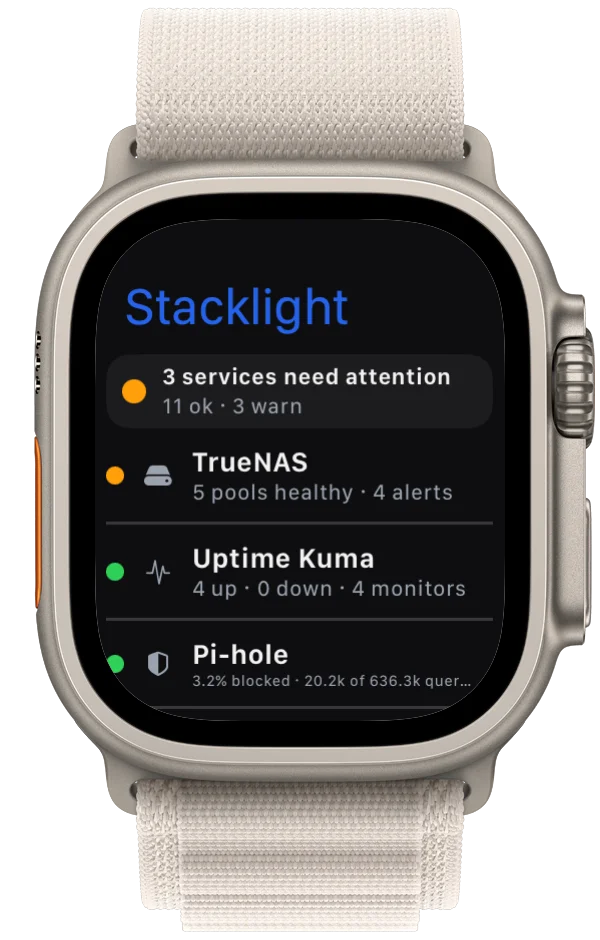
- A real Apple Watch app. Every service you add on your iPhone appears on the Watch through iCloud, and the Watch checks each one directly with the same integrations. Glance to see whether anything is down; tap for details.
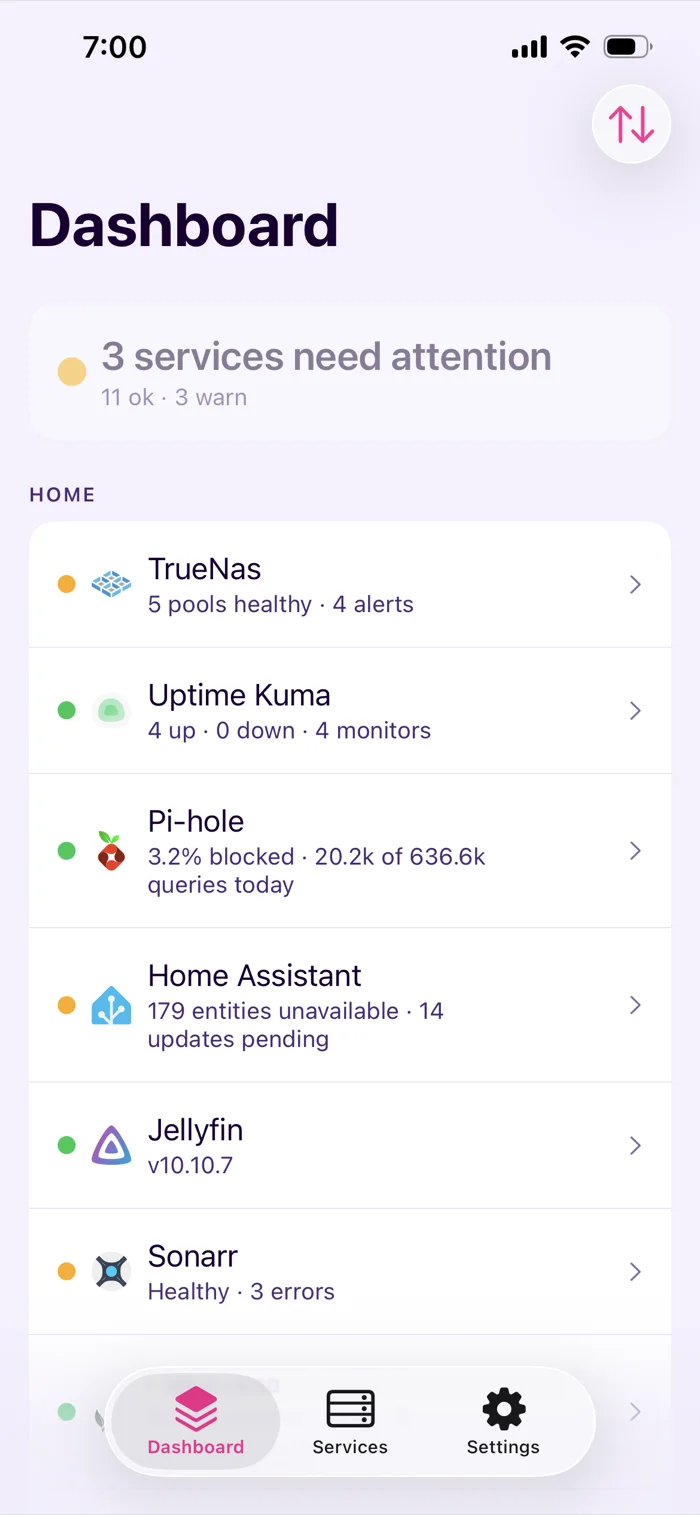
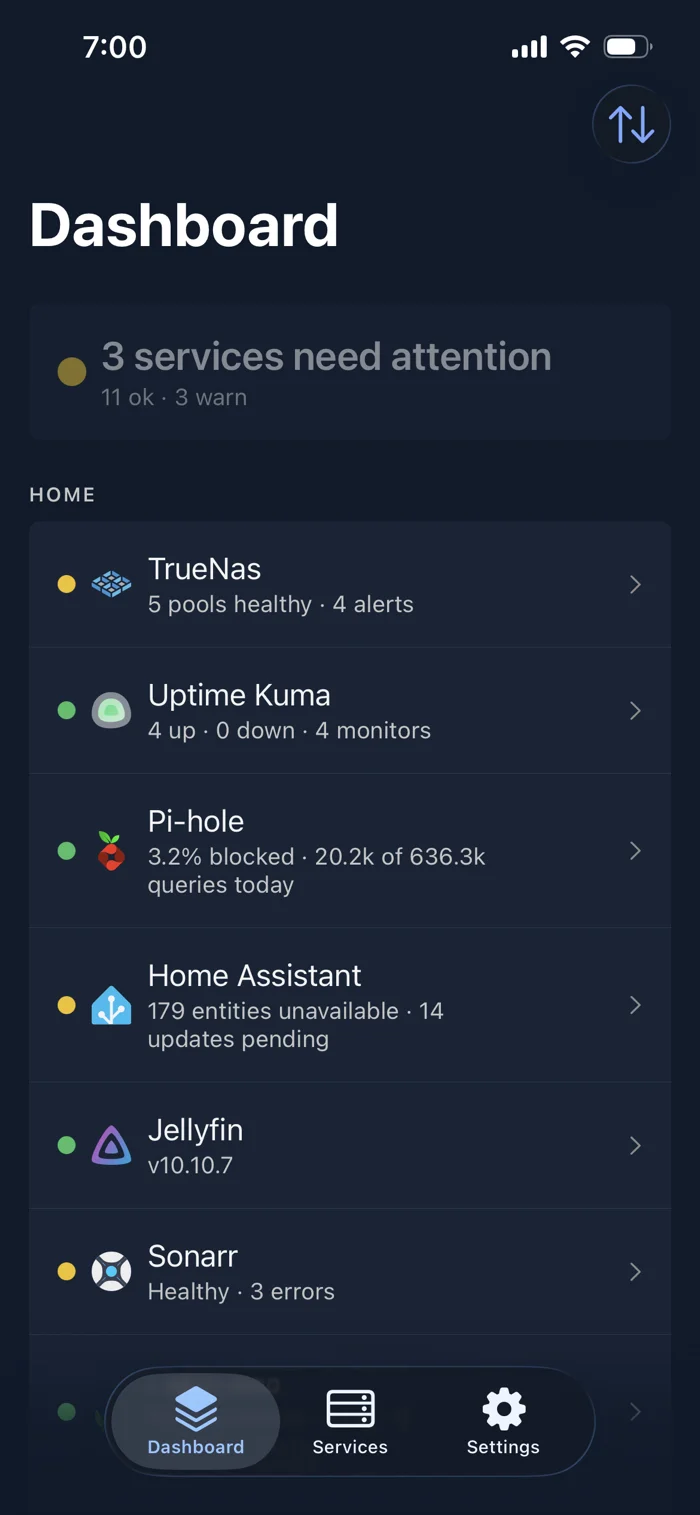
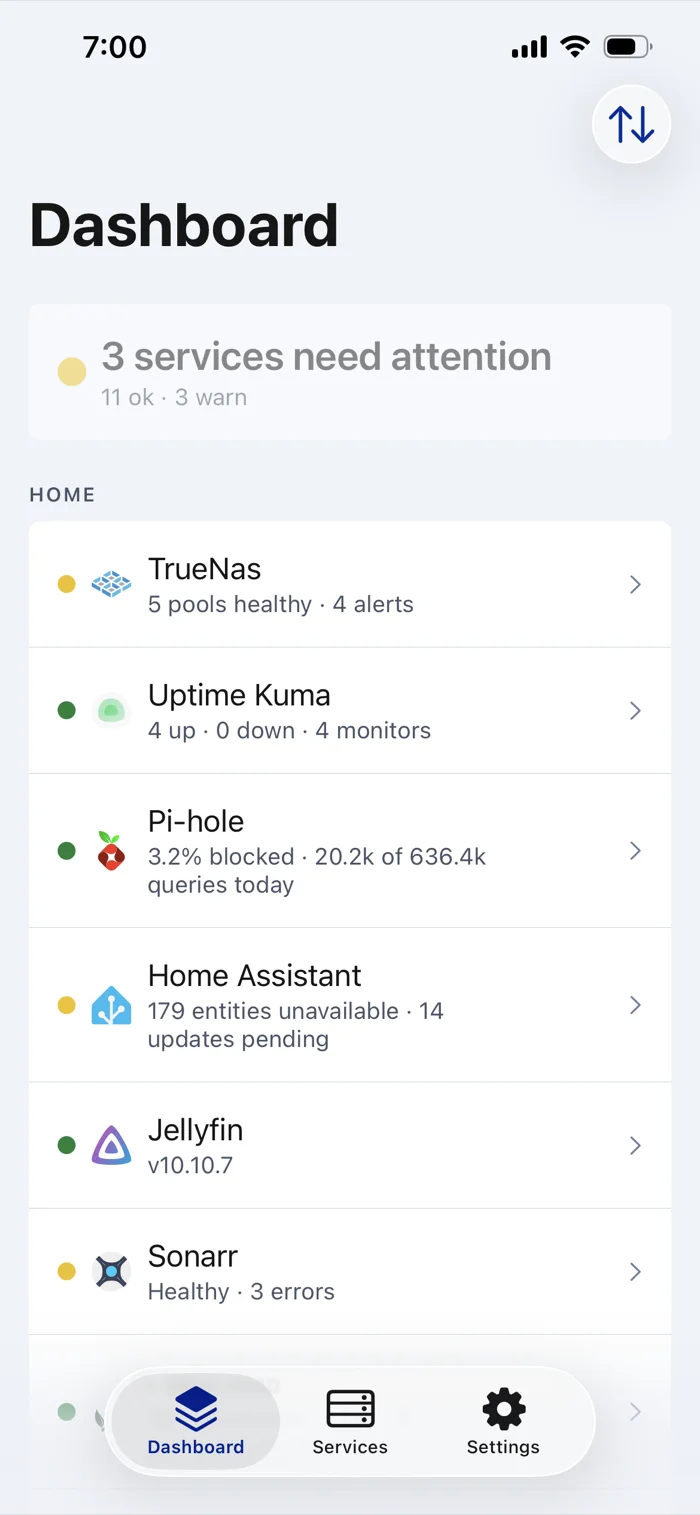
- Four themes. Minimalist, Retro Tech, Neon, and IT Department, each in light and dark. The swatches at the top of this page switch the screenshot below.
- A portable setup. Export your services, environments, and endpoints as JSON from Settings. Credentials are never included.
7. A fair price, paid once
Stacklight is free to download, and the free version includes every feature for up to three services. If your homelab is bigger than that, Stacklight Pro is a one-time $9.99 in-app purchase (US price) that removes the limit.
- No subscription, ever.
- Family Sharing is on, so one purchase covers your household.
- No ads.
Subscriptions make sense when there is a server to pay for. Stacklight doesn’t run one, so there is nothing to rent you.
What Stacklight deliberately doesn’t do
Every design choice has a cost, and you should know them before you download:
- No push notifications. Push needs a server watching your services around the clock, and Stacklight doesn’t have one. It refreshes while it’s open. For alerts, keep the notifications your services already send, such as Uptime Kuma’s or Home Assistant’s, and open Stacklight to see the full picture and act on it.
- Your device has to reach your services. With no relay, Stacklight works wherever your iPhone can reach your homelab: on your LAN, over a VPN such as Tailscale or WireGuard, or through a reverse proxy.
I would rather you read that here than find it out after buying.
Frequently asked questions
What is Stacklight?
Stacklight is a native app for iPhone, iPad, and Apple Watch that monitors and controls self-hosted homelab services. It supports 23 integrations, including Proxmox, TrueNAS, Unraid, Synology, Pi-hole, Plex, Jellyfin, and Home Assistant, and it connects directly to each service’s API with no server in between.
Which services does Stacklight support?
Proxmox VE, TrueNAS, Unraid, Synology DSM, Docker through Portainer, Linux hosts through Glances, Plex, Jellyfin, Sonarr, Radarr, Lidarr, Readarr, Prowlarr, qBittorrent, Transmission, Overseerr and Jellyseerr, Pi-hole, AdGuard Home, Nginx Proxy Manager, OPNsense, Immich, Paperless-ngx, Home Assistant, Gitea and Forgejo, Uptime Kuma, Scrutiny, and Bitaxe.
Do I need to install anything on my server or create an account?
No. Stacklight uses the APIs your services already expose, so there is no agent, helper container, or proxy to install. There is no Stacklight account either: download the app and add a service.
Does Stacklight work away from home?
Yes. Each service can have several endpoints, such as a LAN address, a Tailscale or WireGuard address, and a reverse-proxy URL. Stacklight tries them in order and uses the first one that responds. Since version 1.1, endpoints can also carry custom request headers for Cloudflare Access, Authelia, and other forward-auth proxies.
Does Stacklight support self-signed certificates?
Yes. On first connection Stacklight shows the certificate’s SHA-256 fingerprint and asks you to trust it. The pin syncs to your other devices through iCloud, and if the certificate changes, Stacklight asks again instead of connecting silently.
Does Stacklight work with TrueNAS 27?
Yes. TrueNAS 27 removes the REST API. Stacklight 1.1, released on October 26, 2026, speaks the new WebSocket API and falls back to REST automatically for TrueNAS CORE and older SCALE versions.
Can Stacklight send push notifications when a service goes down?
No. Push notifications need a server that watches your services, and Stacklight deliberately has none. The dashboard refreshes every 30 seconds while the app is open. For alerts, keep the notifications your services already send, such as Uptime Kuma’s or Home Assistant’s.
How much does Stacklight cost?
Stacklight is free to download and includes every feature for up to three services. Stacklight Pro is a one-time $9.99 in-app purchase (US price) that removes the limit. It supports Family Sharing, and there is no subscription.
Does Stacklight collect any data?
No. Stacklight has no analytics, crash reporting, advertising, or third-party SDKs, and its App Store privacy label is “Data Not Collected.” Credentials stay in your iOS Keychain, and your service list syncs through your own iCloud account.